Quick answer: Field force tracking software is a tool that uses GPS and mobile technology to monitor the location, activity, and tasks of employees working outside the office. For small to mid-sized teams (10-200 people), the best option is a dedicated, easy-to-use mobile app, not a complex, expensive enterprise suite.
I’ve been in the security operations game for more than a decade, from factory floors in Manesar to sprawling residential communities in Dubai. The biggest change I’ve seen isn’t the uniforms or the types of threats, but how we manage our people on the ground. I still remember the old days, pre-2015. My control room was a mess of phone calls, scribbled logbooks, and constant radio chatter. “Patrol 1, what’s your 20?” “Has the supervisor reached the VIP gate?” It was pure chaos, held together by experience and a lot of shouting.
The first time I saw a simple mobile field force tracking app, it was a revelation. Not the big, clunky enterprise software that salesmen from Bangalore and Noida tried to push on us, with features we’d never use. This was a simple app on a basic smartphone. It showed me my guards on a map, in real time. For a small operations guy, that was everything. We knew instantly if a patrol was missed, if a guard was stationary for too long, or if an incident needed a response. It changed how we managed accountability completely.
Running patrols on paper registers? See live checkpoint tracking in action. Check GuardPatrolling plans and pricing.
First, What Is Field Force Tracking Software, Really?
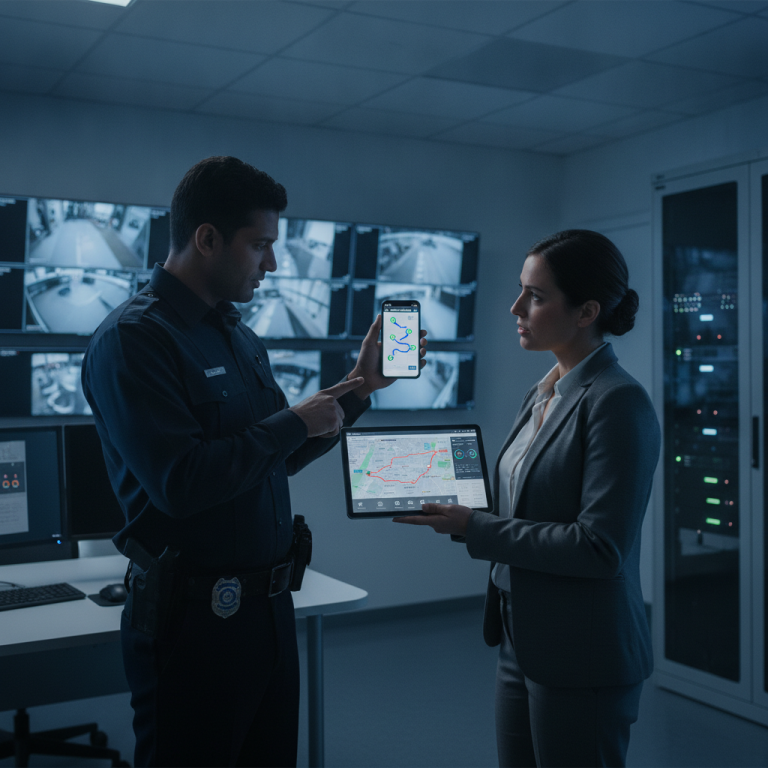
Let’s cut through the marketing talk. Field force tracking software isn’t magic. It’s a combination of two things: a simple mobile app for your field employee and a web-based dashboard for the manager in the control room or office. The app uses the phone’s GPS to send location data back to the server. The manager sees this data on a live map.
But just tracking dots on a map is the basic part. A good system does more. It allows you to create checklists, get proof of presence by scanning QR codes or NFC tags, report incidents with photos, and receive panic alerts. It turns a simple phone into a powerful tool for accountability and safety. Think of it as a digital supervisor who is present at all locations, 24/7, without the tea breaks.
Why Your 50-Person Team Doesn’t Need a 5000-Person Enterprise Suite
I have sat through dozens of sales pitches for massive “workforce management” platforms. They promise to do everything: track your sales team, manage your HR and payroll, handle your vehicle fleet, and probably make your morning chai too. While they have their place in giant corporations, for a security company or a facility management team of 10, 50, or even 200 people, they are overkill. And frankly, a headache.
These big suites come with big problems:
- High Costs: They have huge setup fees and long-term contracts. You pay for a hundred features when you only need five.
- Complex Training: Training your guards and supervisors on these systems is a nightmare. I remember one project in the UK where we spent two full weeks just training staff on the software, and they still kept forgetting the steps. With a simple app, training time is maybe 30 minutes, max.
- Slow and Bloated: The mobile apps are often clunky because they are trying to be a million things at once. They drain phone batteries and require expensive, high-end phones to run properly.
- No Flexibility: You want to change a report format or add a simple custom field? “That will be a change request, sir, and it will take three months.”
For a smaller, more agile team, you need a tool that is focused on doing one job perfectly: tracking your field force efficiently and reliably.
Key Facts: Field Force Tracking at a Glance
- GPS is the Core: All systems rely on the smartphone’s GPS chip. Accuracy can vary from 5 to 20 meters depending on the location (outdoors vs. indoors) and the device.
- Battery Drain is Real: Constant GPS tracking uses a lot of battery. A good app will have smart tracking modes (like activating tracking only when the device moves) to conserve power. We look for phones with 5000mAh batteries, minimum.
- Reliable Live Connectivity: A modern patrol system is cloud-based, meaning all scans, GPS data, and incident reports upload live. This gives managers in the control room instant visibility. Unlike older systems that stored data for later syncing, a live connection ensures there are no delays in reporting or response, which is critical for security.
- Data Privacy is a Concern: You are tracking your employees. You need a clear policy, a system that tracks them only during work hours, and their written consent. Be transparent.
- It’s More Than Just Security: While my experience is in security, these systems are used everywhere. Sales teams tracking client visits, maintenance crews managing service calls, and logistics companies monitoring deliveries. The principles are the same.
Core Features You Actually Need (and What to Ignore)
When you are looking for a security guard tracking software for a small-to-medium team, it’s easy to get distracted by shiny features. Here is my practical, on-the-ground breakdown of what really matters.
Must-Haves: The Non-Negotiables
- Live GPS Tracking: Obviously. But look for the details. How frequent are the updates? Can you see the history? Is the map interface clean and fast?
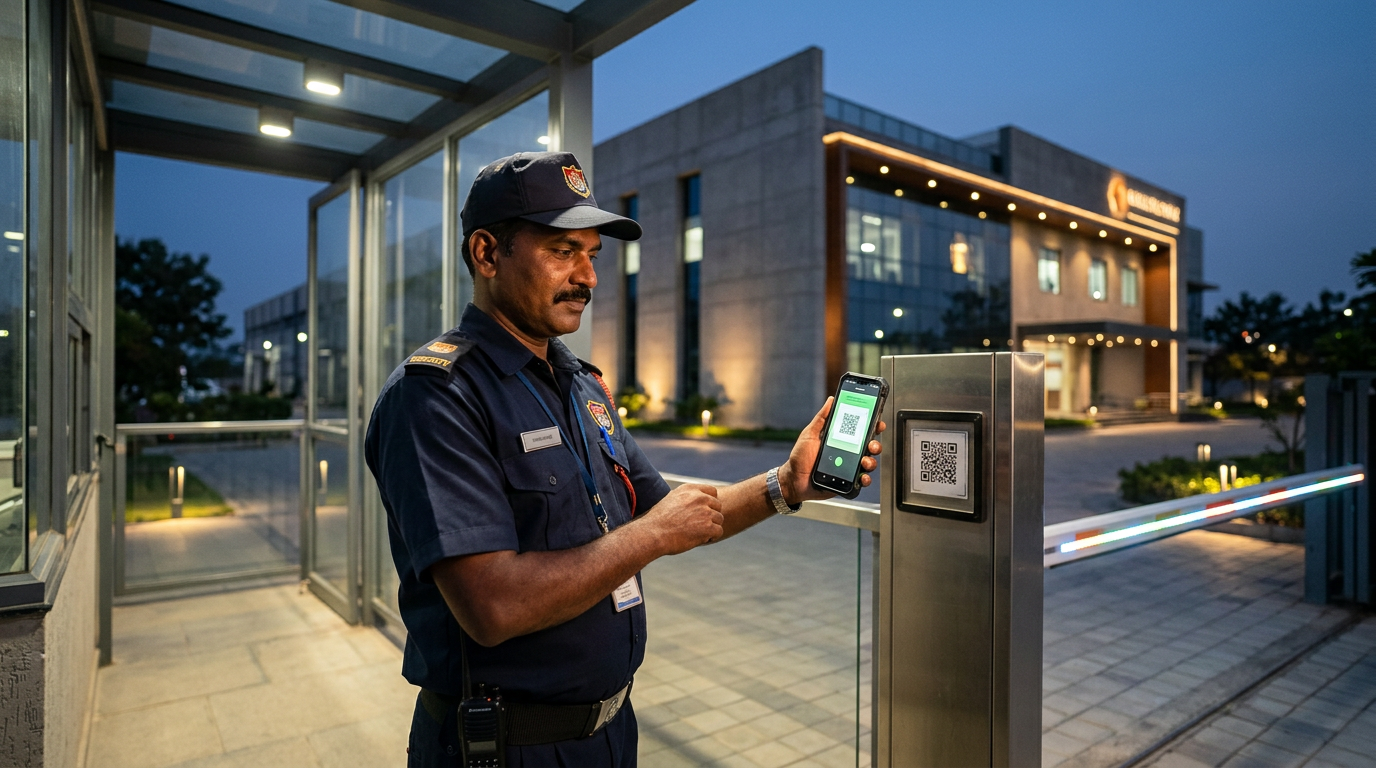
- Checkpoint Scanning (QR/NFC): GPS tells you they are at the building, but scanning a QR code or an NFC tag at a specific point proves they were at the server room door or the fire exit on the 4th floor. This is the foundation of accountability. We’ve written a detailed guide on QR code vs. NFC for patrols.
- Simple Incident Reporting: Your person on the ground sees something, they should be able to report it in seconds. A button in the app to open a form, take a picture, type a quick note, and send. That’s it. See our thoughts on specific incident reporting software here.
- Panic Button / SOS Alert: Especially for lone workers, a way to signal for help is crucial. A physical button on a dedicated device is best, but a clear, accessible SOS button in the app is the minimum.
- Automated Supervision & Reporting: Modern systems go beyond just tracking. Look for features like Face Verification, which confirms the correct guard is on-site at check-in, and automated Daily Email Reports that send a complete patrol summary to managers and clients, ensuring everyone is informed without manual effort.
- Basic Task Management: Create a simple checklist for a location. “Check all fire extinguishers.” “Lock the main gate at 10 PM.” The staff member ticks off the task in the app. Simple, effective.
Nice-to-Haves, but Not Essential
- Geofencing: Automatically logging entry/exit from a virtual boundary (a “geofence”) around a site. It’s useful, but manual check-ins work just as well for smaller teams.
- Leave Management: Some apps let staff apply for leave. It’s a nice integration, but you probably already have a system (even if it’s just WhatsApp) for this.
- Advanced Reports & Analytics: Fancy charts are nice for presentations, but for day-to-day operations, a simple log of activities and missed checkpoints is often enough.
| Tool | Primary User | Key Function | Where It’s Used |
|---|---|---|---|
| Mobile App | Field Staff (Guards, Sales reps, Technicians) | Data Collection (Scanning, Reporting, Tracking) | On-site, on a standard Android/iOS smartphone |
| Web Dashboard | Managers, Supervisors, Control Room | Monitoring & Analysis (Live Map, Reports, Alerts) | In the office, on a laptop or desktop PC |
Implementation: My On-the-Ground Experience
The best software is useless if your team can’t or won’t use it. At a large warehouse complex in Bhiwandi, we rolled out a simple patrol tracking app to a team of 40 guards. The total setup time was one day.
Here was the process. Morning: We walked the site and stuck QR code stickers at 100 key points. Afternoon: We installed the app on 10 basic Android phones, logged in, and gave a 30-minute training session to the supervisors. That evening, the system was live. The training for the guards was even simpler: “When you start your duty, open this app. When you see a sticker, tap the scan button and point your camera at it. That’s it.”
Contrast this with an enterprise system I had to deploy at a hospital. It took three weeks, multiple calls with an integration team in another country, and the app was so confusing that the supervisors ended up just calling the guards to check on them, the very problem we were trying to solve!
The lesson is simple: for field operations, simplicity is reliability. Choose a system that can be deployed fast and understood by everyone on your team, not just the IT manager.
How Much Should It Cost? A Reality Check
Pricing for field force tracking software is usually on a per-user, per-month basis. For the kind of simple, focused app I recommend, you should expect to pay somewhere between $5 to $15 per user per month. If a company is quoting you significantly more, they are either selling you an enterprise suite you don’t need, or they are just trying their luck.
Be wary of hidden costs. Ask about setup fees, costs for extra QR codes or NFC tags, and charges for “premium” support. A good company will have transparent pricing. You can see our detailed analysis of industry costs in our guard patrol system pricing guide.
Frequently Asked Questions
What is field force tracking software used for?
Field force tracking software is primarily used to monitor the location, movements, and job status of mobile employees. This includes security guards on patrol, sales representatives visiting clients, technicians on service calls, and delivery drivers on their routes. Its goal is to improve accountability, safety, and operational efficiency.
How does a field force tracking app work?
A field force tracking app works by using the built-in GPS function of a standard smartphone. The app periodically sends the phone’s location coordinates live to a central cloud server. A manager can then view this location data in real time on a map via a web dashboard, see patrol history, and receive alerts.
Can you track employees without them knowing?
While technically possible, tracking employees without their knowledge is unethical, illegal in many places, and destroys trust. All professional tracking systems require an app to be running on the employee’s phone, and you should always get explicit, written consent from your staff. The goal is accountability, not secret surveillance.
Does field force tracking drain the phone’s battery?
Yes, continuous GPS usage can drain a phone battery significantly. However, modern field force apps use smart tracking technology. They reduce the frequency of GPS pings when the employee is stationary or use motion sensors to activate tracking only when necessary. This helps a standard smartphone battery last a full 8-12 hour shift.
Is it better than using WhatsApp for team coordination?
Yes, it is significantly better. WhatsApp is for messaging, not for structured professional tracking. A proper tracking system provides auditable, time-stamped records of presence, proof of patrol via QR codes, organized incident reports, and panic alerts. WhatsApp provides none of these essential accountability and safety features.
What is the typical cost of field force tracking software?
The typical cost for a reliable, small-to-mid-sized team solution is between $5 and $15 per user, per month. Pricing is almost always subscription-based. Be cautious of solutions that are significantly cheaper, as they may lack reliability, or much more expensive, as they likely include enterprise features you don’t need.
The Bottom Line
For any business managing a team in the field, moving from paper to a digital system is one of the biggest leaps you can make in efficiency and accountability. The key is to choose the right tool for your scale. Don’t get lured by complex enterprise suites that promise the world. For a team of 10 to 200, a focused, reliable, and simple-to-use mobile guard tour system is your best bet.
Focus on the core needs: live tracking, proof-of-presence, and simple reporting. Choose a partner with transparent pricing and good support. This approach has saved my operations time, money, and countless headaches over the years. It will do the same for you. Ready to see how a simple system can make a big difference? Explore our plans and pricing to get started.