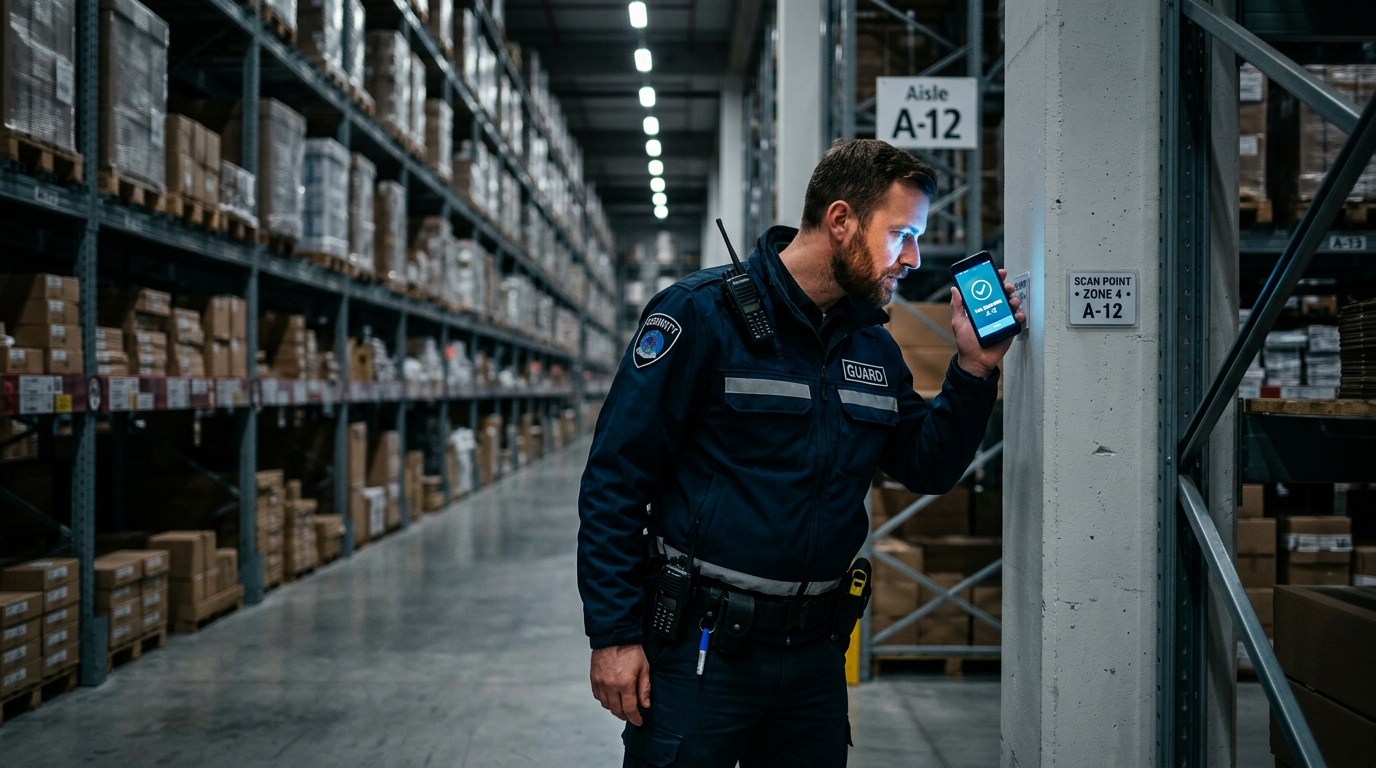
Quick answer: A guard patrol management system is a combination of software and hardware used to schedule, monitor, and document the patrols of security guards. It uses checkpoints (like NFC tags or QR codes) and a mobile app to provide real-time proof of presence, track guard movements, and report incidents from the field.
I still remember a site visit in Dubai about eight years ago. The client was complaining about rising incidents of theft in his warehouse despite having a 24/7 security patrol. I asked to see the duty roster and the patrol logbook. The logbook was immaculate. Every patrol, every hour, was neatly signed off. But when I checked the CCTV footage for the corresponding times, the guard was often sitting in his cabin. The entire logbook was filled out at the start of the shift. Classic pencil-whipping.
This is the number one reason security managers start looking for a guard patrol management system. It’s not about mistrusting your guards. It’s about getting objective proof of work, both for your own operational awareness and for your client’s peace of mind. A digital system replaces the easily faked paper register with hard, time-stamped data. But buying one and making it work are two very different things. I’ve rolled these systems out everywhere from factories in Gujarat to high-end residential towers in London, and the tech is only 20% of the battle.
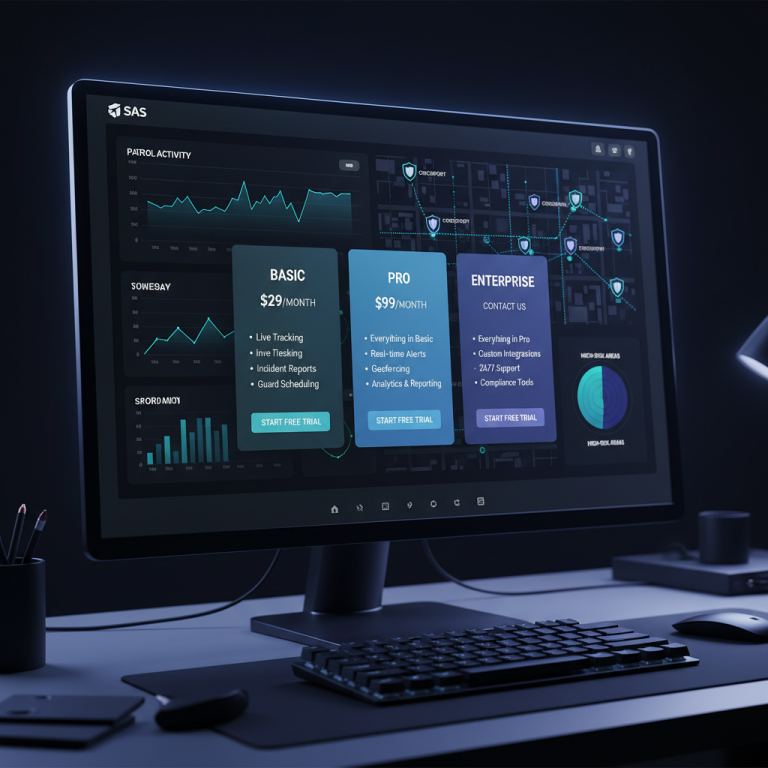
Running patrols on paper registers? See live checkpoint tracking in action. Check GuardPatrolling plans and pricing.
Key Facts About Guard Patrol Management Systems
- Digital Accountability: The primary purpose is to replace unreliable paper logs with verifiable, time-stamped digital records of every checkpoint scan.
- Core Components: Every system has three parts: physical checkpoints (tags/codes), a reader (usually a smartphone app), and a cloud-based backend for reporting and monitoring.
- Smartphone-Centric: Purpose-built wands or “dawands” are now relics. Over 90% of modern systems use standard Android or iOS smartphones, which lowers the cost and simplifies training.
- Real-Time is Standard: Early systems required docking the device to download data. Today, every scan is uploaded instantly, allowing for live monitoring of patrol progress and immediate alerts for missed checkpoints.
- Data for Decisions: These systems are not just for catching guards who are sleeping. The data collected is gold for optimizing patrol routes, justifying manpower levels, and identifying high-risk areas based on incident frequency.
Core Modules of a Modern Patrol Management System
When you’re looking at software, it’s easy to get lost in feature lists. From my experience, these are the five modules that you will actually use every single day. Everything else is secondary.
Checkpoint & Tour Scheduling
This is the foundation. It’s where you define the physical locations (checkpoints) that need to be visited. You then group these checkpoints into tours or routes. A good system should allow for flexibility. Can you set a strict sequence that must be followed? Or can you allow guards to scan checkpoints in any order? Can you schedule different tours for different days or shifts? For a simple factory perimeter, a fixed route might be fine. But in a hospital with no-go areas during certain hours, you need dynamic scheduling.
Live Patrol Monitoring Dashboard
This is the control room view, the “god view” for the shift supervisor or operations manager. It should show a live map or a dashboard with the status of all ongoing patrols. You need to see, at a glance, which tours have started, which are in progress, and which are completed. More importantly, you need to see exceptions: missed scans, delayed scans, and patrols that haven’t started on time. The dashboard must be clean and intuitive, otherwise, supervisors will just ignore it.
Incident & Exception Reporting
A patrol isn’t just about walking a route. It’s about observing and reporting. What happens if a guard finds a water leak, a broken fence, or an unauthorized person? The app must have a simple way to report this. The best incident reporting software lets guards categorize the incident (e.g., Safety, Maintenance, Security), write a quick note, and attach photos or even a short video. This is non-negotiable. A photo of a broken lock is a million times more effective than a written report.
Guard App / Handheld Device
This is the guard’s only interaction with the system, so it has to be dead simple. Big buttons, clear instructions, and minimal clicks. If it’s complicated, your guards won’t use it, or they’ll use it incorrectly. The app should guide them on their tour, showing the next checkpoint. Because our system is live, the app requires a stable cellular or Wi-Fi connection to transmit data. All scans, incident reports, and GPS data are uploaded to the cloud in real-time, giving managers an instant view of patrol progress. For sites with known connectivity issues, like basements or large concrete warehouses, ensuring a stable connection is a key part of a successful deployment.
Analytics & Reporting
Finally, what do you do with all this data? The system must be able to generate clear, concise reports. The most common one is the Patrol Completion Report, which you send to clients as proof of service. It should be a simple PDF showing all the tours, scheduled times, actual scan times, and any comments or incidents. Beyond that, you need performance analytics. Which guard is consistently missing scans? Which routes are always delayed? This data helps you manage your team and your operations effectively.
Beyond the core dashboard, a robust system will include features that automate accountability and communication. For instance, Guard Patrolling offers Face Verification on check-in to confirm the correct guard is on duty and provides Daily Email Reports, which are automatic patrol summaries delivered to both the security agency and the site manager. This keeps everyone informed without any manual report-building.
Choosing Your Checkpoint Technology: NFC vs. QR Codes
The physical checkpoint is a critical choice. You’re going to be buying and installing hundreds, maybe thousands of them. The debate is almost always between NFC and QR codes. Here’s my field-tested breakdown.
| Factor | NFC (Near Field Communication) | QR Codes |
|---|---|---|
| Durability | Excellent. Usually encased in hardened plastic or epoxy. Waterproof, dustproof, and highly tamper-resistant. | Poor to fair. A paper or vinyl QR sticker can be easily torn, painted over, or peeled off. Laminated ones are better but still vulnerable. |
| Cost | Higher per tag (typically ₹50-₹150 in India). | Very low. You can print them yourself for free or get weather-proof stickers for a few rupees each. |
| Indoor/Outdoor Use | Ideal for both, especially harsh outdoor or industrial environments. Unaffected by dirt, grime, or low light. | Works well indoors. Outdoors, they can fade in the sun. They need light for the camera to read them, making them tricky in the dark without a flash. |
| Guard Interaction | Very fast and reliable. Just a quick tap. No need to aim or focus. Almost zero chance of a mis-scan. | Requires the guard to open the camera, aim, and focus. Slower, and can be frustrating in bad lighting or if the code is damaged. |
| My Recommendation | For any serious, long-term deployment, especially outdoors or in factories. The reliability is worth the extra cost. | Good for pilots, indoor office environments, or when budgets are extremely tight. A great starting point if you’re moving from paper. |
For a detailed analysis, I’ve written a full guide on QR code vs. NFC for guard patrols that you might find useful.
Planning Your Rollout: From Pilot to Full Deployment
I’ve seen clients buy a system for 500 guards and try to go live on day one. It’s a recipe for disaster. The key is a phased rollout.
The Pilot Phase (1-2 Weeks)
Always start small. Pick a single, non-critical site or even just one patrol route within a larger site. Assign it to two guards: one who is your most reliable and tech-friendly, and one who struggles with technology. Their feedback will be invaluable. This pilot phase helps you iron out the technical kinks, test the tag placements, and understand the training requirements before you go big.
Tagging the Site
This is the physical work of installing the checkpoints. Don’t just stick them anywhere. Think about the patrol route. Place tags at logical points that prove the guard covered the entire area. For a perimeter wall, place one at each corner and one in the middle. Avoid placing them too high or too low. I once saw a hospital where the tags were placed 2 feet off the ground, and the guards were complaining of back pain from bending down 100 times a night. Also, use strong adhesive like epoxy, not just the sticker backing, especially for outdoor tags.
Training: More Than Just the App
The training ka time is the most important step. Don’t just show them how to tap the phone. Explain *why* the system is being implemented. Frame it as a tool that proves they are doing their job correctly. It protects them from false complaints. Show them exactly how to report an incident. Walk them through handling common issues like a “missed scan” alert. Repetition is key. Do a training session, then a live walkthrough on site, then a follow-up session a week later.
What Breaks in Month Two: The Reality of a New System
The sales demo looks perfect. The pilot goes well. You roll it out. Then, a month or two later, the problems start. These are the issues that come up again and again once the initial excitement wears off.
The “Forgetting to Charge” Epidemic
This is, by far, the number one reason for failed patrols in a digital system. The guard on the night shift starts his tour and the phone is dead. Solution? This is a process problem, not a tech problem. You must implement a strict device handover protocol. The outgoing guard is responsible for placing the device on charge in a designated locker or station. The incoming guard is responsible for ensuring the device is fully charged before starting their shift. A simple checklist at the security desk works wonders.
Alert Fatigue and False Alarms
In the beginning, supervisors are excited to get real-time alerts for missed scans. But if the alerts are not configured properly, they can get hundreds of notifications a day. Soon, they develop “alert fatigue” and start ignoring all of them, including the critical ones. You must be strategic with your alerts. Don’t set an alert for a 1-minute delay. Maybe set it for a 10-minute delay or when two consecutive checkpoints are missed. Tune the system so that an alert is a genuinely important event.
Damaged Checkpoints and “Creative” Workarounds
Guards are smart. If they want to beat the system, they will try. I’ve seen it all. Damaged QR codes, NFC tags ripped off the wall. The most creative one was a guard in a large housing society who took photos of all the QR codes, printed them on a sheet of paper, and scanned them from the comfort of his chair. How do you combat this? Use durable NFC tags. And more importantly, your monitoring system should have features to detect anomalies. For example, if 30 checkpoint scans happen within 2 minutes from the same GPS location, you know something is wrong. Technology and process have to work together.
Data Overload, Insight Deficit
Your new security guard tracking software is producing dozens of beautiful reports. But who is reading them? And what are they doing about it? Often, nobody. The reports get emailed and filed away. You must schedule a weekly or bi-weekly patrol review meeting. Put the patrol completion report on a projector. Discuss the exceptions. Ask why a patrol was missed. Use the data to have constructive conversations about performance and operations. Without this feedback loop, the system is just a very expensive logbook.
Frequently Asked Questions
What is the main purpose of a guard patrol system?
A guard patrol system’s main purpose is to ensure accountability and provide proof of presence. It digitally verifies that guards are completing their assigned patrol routes at the correct times by requiring them to scan checkpoints. This replaces unreliable paper-based logs and provides managers and clients with verifiable data on security operations.
How much does a guard patrol management system cost?
Most modern systems are sold as a subscription service (SaaS), typically priced per guard per month. Costs can range from $10 to $30 per guard, depending on the features included. Some providers may have additional one-time costs for physical checkpoint tags like NFC or QR codes. It’s best to check a provider’s public pricing guide for specifics.
Can these systems track guards in real-time?
Yes, most guard patrol systems can track guards in real-time using the GPS on their smartphones. This allows supervisors to see a guard’s current location on a map. This is different from checkpoint tracking, which only confirms their location at the moment of a scan. The combination of GPS and checkpoint scans provides a comprehensive view of guard activity.
What’s better, NFC or QR codes for patrols?
NFC is generally better for durability and reliability, especially in outdoor or industrial settings. The tags are robust and scanning is fast. QR codes are much cheaper and easier to create, making them a good option for indoor use, pilot projects, or tight budgets. However, they are less durable and can be harder to scan in low light or when damaged.
How do you train guards to use a patrol management app?
The key to training is simplicity and context. Focus on the core functions: starting a tour, scanning a checkpoint, and filing an incident report. Explain why the system helps them prove their work. Use a hands-on approach: train them in a classroom, then walk the actual site’s patrol route with them. Repetition and patience are critical for adoption.
Can I use my own phone for a guard patrol system?
Yes, the majority of today’s guard patrol management systems are designed to be “Bring Your Own Device” (BYOD) compatible. They provide an app that can be installed on standard Android or iOS smartphones. This eliminates the need to buy and maintain expensive, proprietary hardware, making deployment much more affordable and flexible.
Bottom Line
A guard patrol management system is a powerful tool for any security operation. It brings transparency and accountability where there was none. But remember, it is just a tool. The success of your deployment won’t depend on the bells and whistles of the software. It will depend on your planning, your training, and your commitment to using the data to make real operational improvements. It is a shift in culture, not just a shift in technology.
If you’re ready to move beyond paper and bring real-time accountability to your patrols, take a look at what a modern system can do. It’s simpler and more affordable than you might think. Explore our plans and features, or put our system to the test with a 15-day free demo — 1 guard, 1 site. No card required.